Using your Virtual Collection page
Your Virtual Collection page shows every model you own, what it's worth today, and how your collection is tracking.
Open your Virtual Collection
Select Portfolio at the top of any page. The Virtual Collection card shows your total number of models, total insurance value and total value. Select the arrow on the card, or View All, to open the full collection.
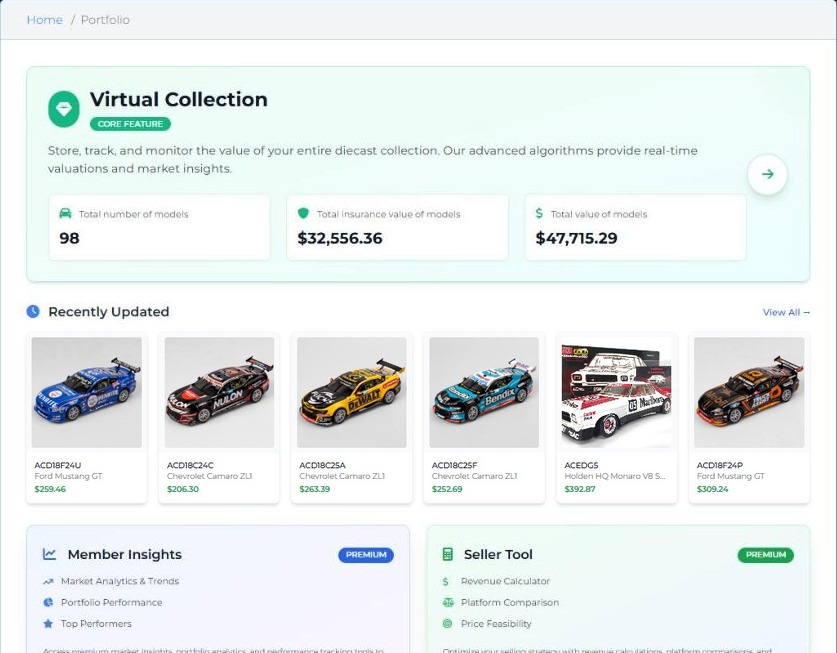
What's on the page
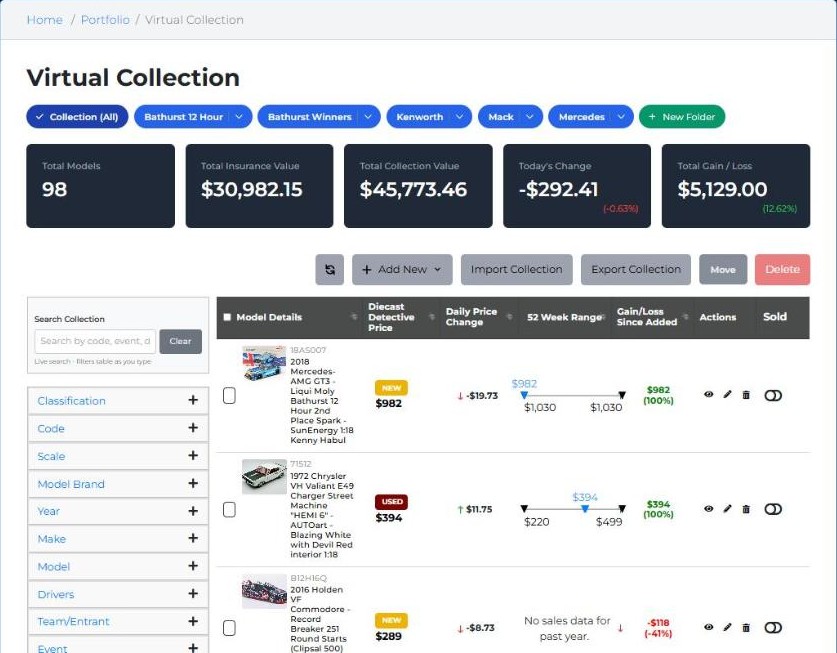
| Part of the page | What it does |
|---|---|
| Folders (blue buttons) | Show only one group, such as Bathurst Winners. Collection (All) shows everything; + New Folder makes a new one |
| Total Models, Total Insurance Value, Total Collection Value | Your collection's size and worth today |
| Today's Change | How much your collection's value moved today |
| Total Gain / Loss | Today's value compared with what you paid |
| Add New, Import Collection, Export Collection | Add models, bring in a list, or download your collection |
| Move, Delete | Tick models, then move them to a folder or remove them |
| Search Collection and filters | Find models by code, event, driver, scale, brand, year and more |
| Table columns | Each model's DDP, daily price change, 52-week price range, and gain or loss since you added it |
| Actions (eye, pencil, bin) | View the model and add photos and records, edit your details, or remove it |
| Sold switch | Mark a model as sold |
Edit a model's details
Select the pencil in the Actions column next to a model to change its purchase price and date, insurance value and date, condition, and which folders it's in. Then select Update Item. Every model always stays in Collection (All) as well.
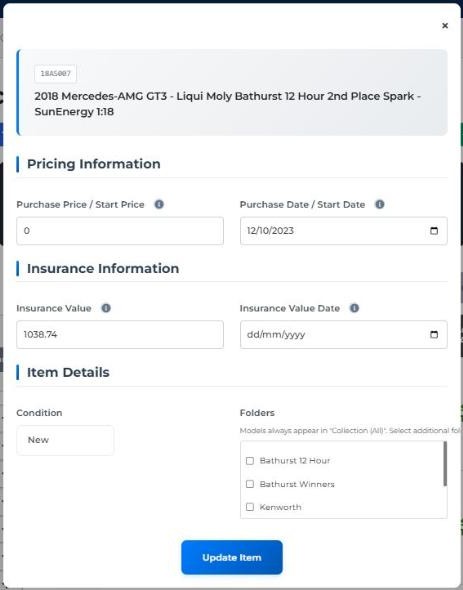
Tip: set your purchase price for each model, so your Total Gain / Loss shows how your collection has really performed.