How to use the Seller Tool
The Seller Tool is a premium tool that works out what you'll actually take home from an eBay sale, after fees and postage. It can also tell you what to ask to net the amount you want.
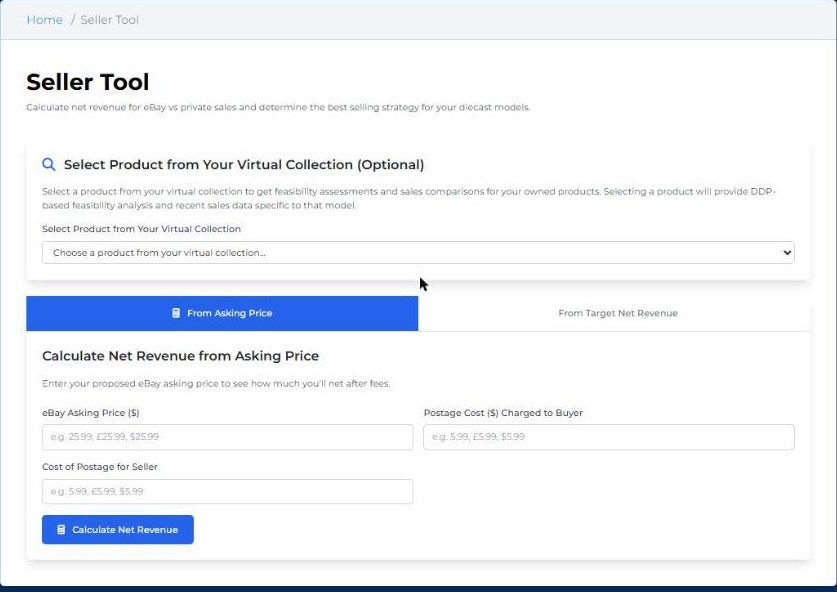
Work out your net revenue
- Select Portfolio at the top of any page, then select the Seller Tool card.
- Optionally, pick a model from your Virtual Collection. You'll also get a DDP-based feasibility check and recent sales for that model.
- Choose how to calculate:
- From Asking Price: see what you'd net from the price you plan to ask.
- From Target Net Revenue: see what to ask so you net a set amount.
- Enter the eBay asking price, the postage you'll charge the buyer, and what postage will cost you.
- Select Calculate Net Revenue.
Tip: check the model's DDP and recent sales in the right condition before you set a price. Pricing close to recent sales usually means a quicker sale.