How to find a model on Diecast Detective
The quickest way to find a model is to type its product code, or one key word such as the driver's surname, into the search bar at the top of any page.
Quick search
- Click the search bar at the top of any page.
- Type a product code (for example ACD18F23ZF) or one word, such as "Lowndes" or "Torana".
- Matching models drop down as you type, with how many were found. Each shows its code, year, car, event and drivers.
- Click a model to open its page. You can also use the heart or + right there in the list to add it to a Watchlist, Wishlist or your Virtual Collection.
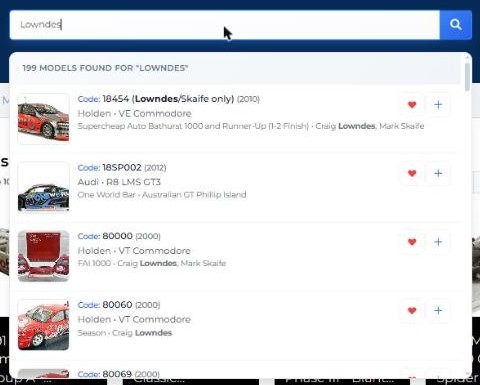
Tip: one word or a product code works best. For anything more specific, use Custom Search.
Custom Search
Use Custom Search to narrow by several details at once, such as a driver and a scale.
- Select Custom Search at the top of the page.
- Under Field, choose what to search by: Code, Scale, Model Brand, Year, Make, Model, Drivers, Team / Entrant, Event, Colour / Livery (Sponsor), Category, Edition or Collection.
- Under Operator, choose how to match: contains, exclude, starts with, ends with, equals, greater than or less than.
- Type what you're looking for in Search.
- To add another condition, select + Add field. Every condition must match.
- Select Search. Results show each model's New and Used Diecast Detective Price, with a heart and + to add it straight away.
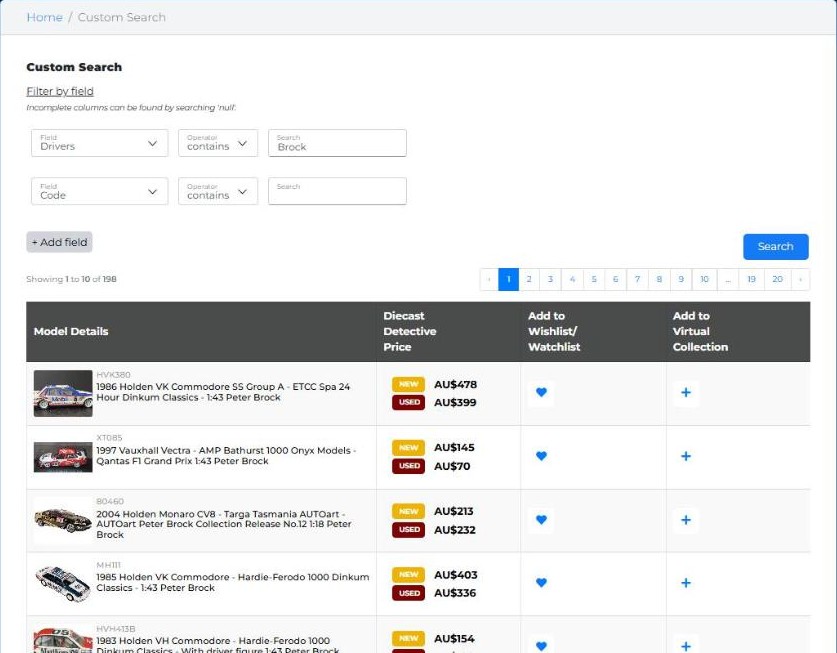
Browse instead
- Categories (top of the page): browse by type, such as Touring Cars / V8 Supercars or Trucks / Trailers.
- Highest Value Models and Top Traded Models (bottom of every page): the most valuable and most often sold models.
- Recently Added Models (homepage): models just added to the database.