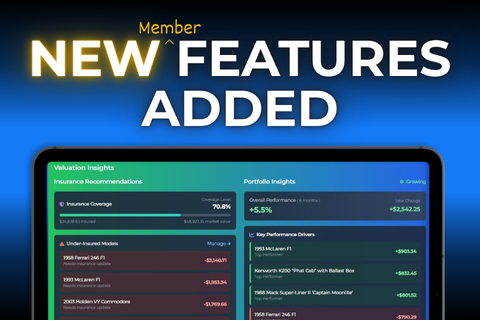
We’re excited to share that a number of new features have just gone live for members all designed to help you get more value and insight from your collection. You'll find them on your Portfolio homescreen, along with your Watchlists, Wishlists and upgraded portal to your Virtual Collection.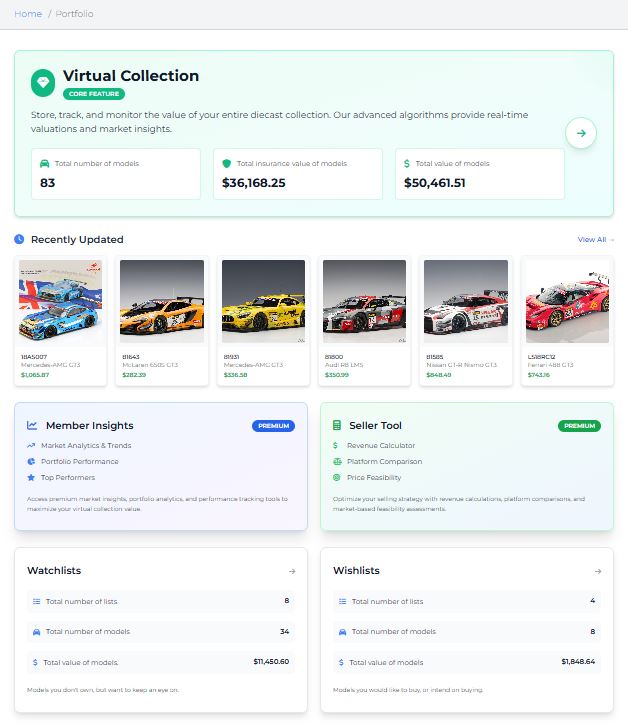
SELLER TOOL
If you buy and sell models regularly, this one’s for you. The Seller Tool helps you maximise your return by guiding your selling strategy — whether you’re listing on eBay or negotiating a private sale.
You can choose between two revenue calculators:
1. Net Revenue from Asking Price
Enter your proposed eBay asking price to see your estimated net return after fees.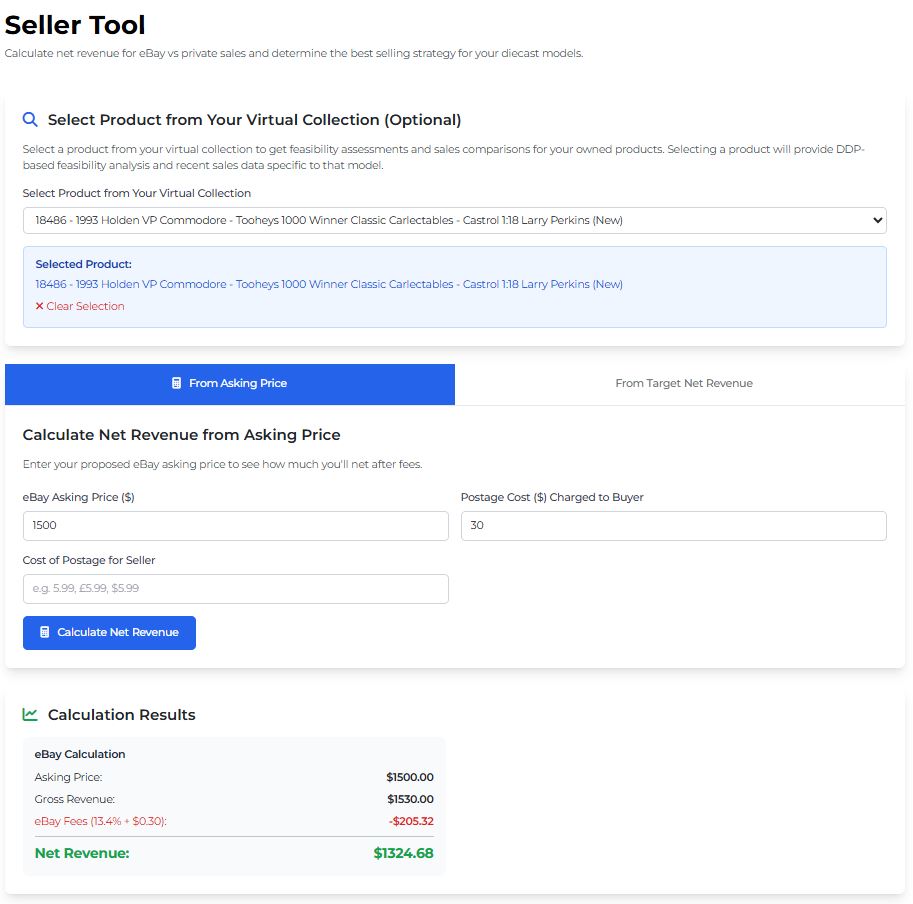
2. Asking Price from Target Net Revenue
Enter your desired net return, and the tool will calculate the corresponding eBay asking price required to achieve it.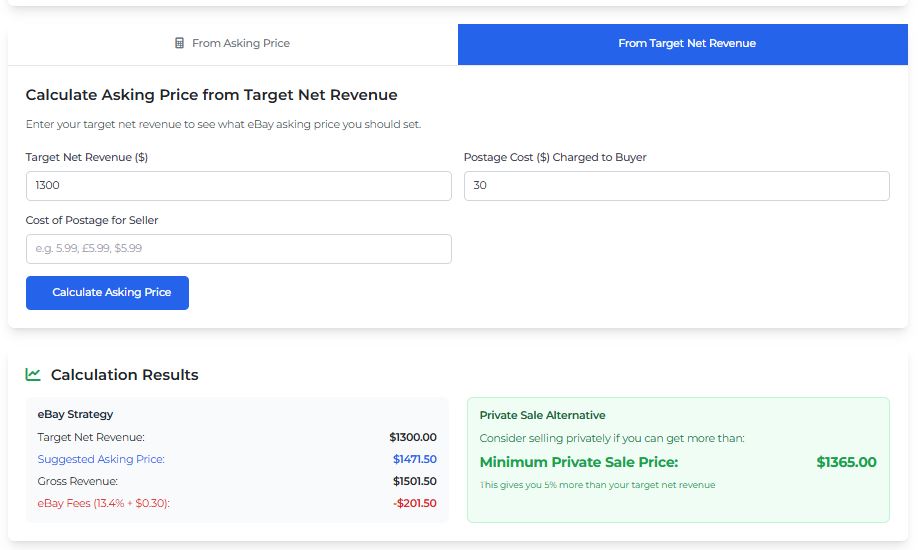
While these calculators are useful on their own, the real power comes from the Feasibility Assessment. This feature evaluates the likelihood of achieving your target price by drawing on historical sales, trend analysis, and the current Diecast Detective Price (DDP) for your preselected model — helping you make informed selling decisions with confidence.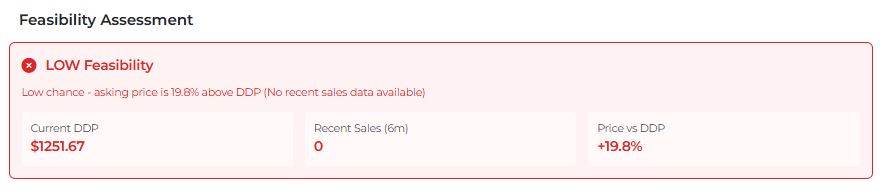
MEMBER INSIGHTS
If you enjoy data and understanding the story behind your collection’s performance, you’ll find plenty to explore in Member Insights. There’s a lot in here, so we’ll display all sections, but highlight the features we think will be most useful.
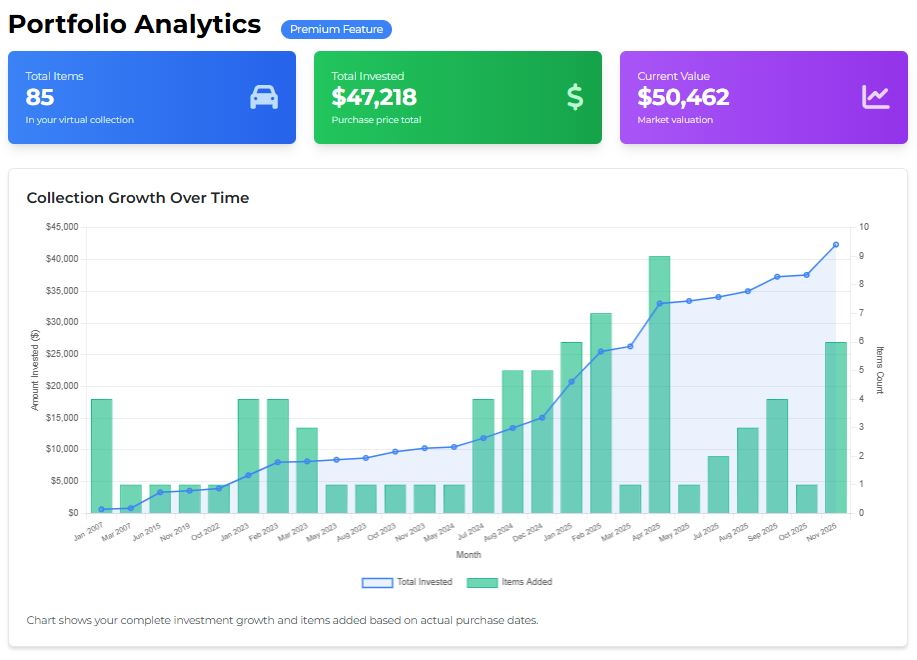
1. Portfolio Analytics / Collection Growth Over Time
This graph shows how your collection has grown in both model count and value over time. For the most accurate results, make sure each model has its purchase price and purchase date entered.
If you haven’t added those details, no stress — the system will automatically assign the Diecast Detective Price (DDP) and the date you added the model, so the graph will still reflect your collection’s overall growth.
2. Market Pulse
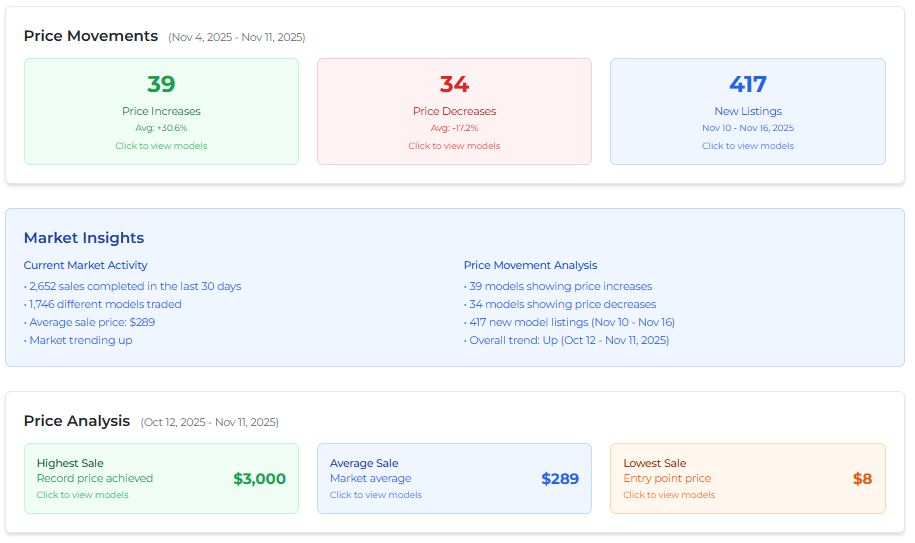
Gives you an overview of overall market performance, and lets you drill down into the specific models that influenced those movements. Every figure and model reference is clickable, making deeper analysis quick and intuitive.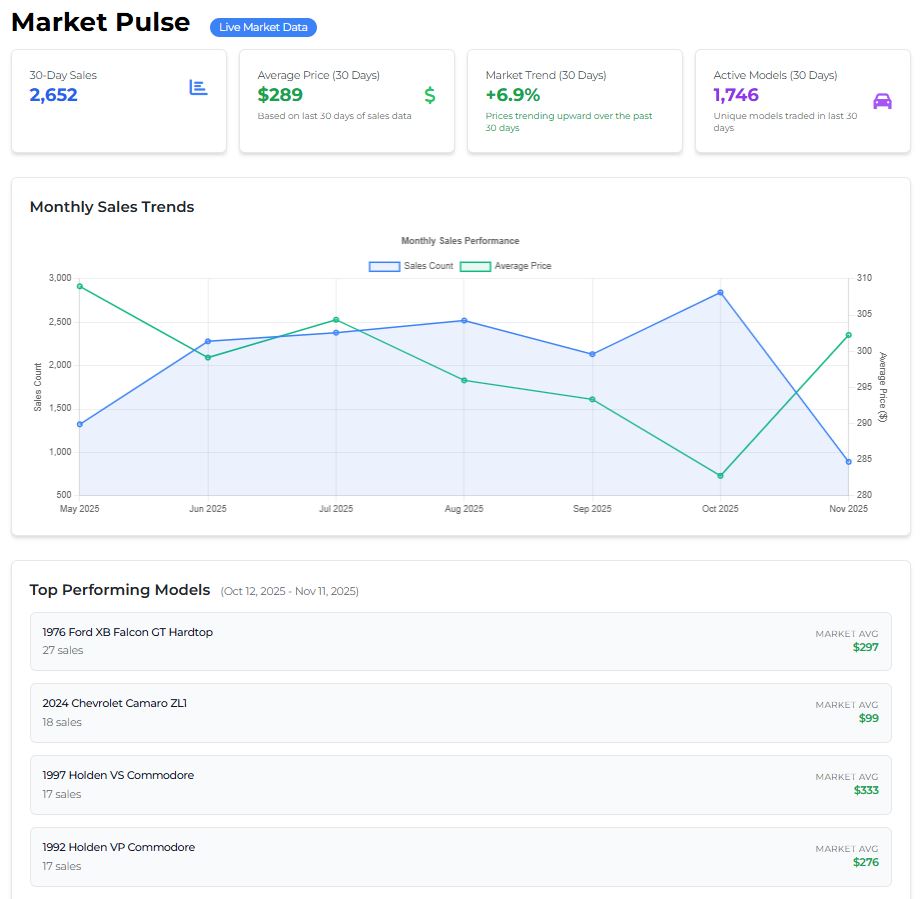
3. Collection Value Analysis
This section provides a clear breakdown of your Virtual Collection. The default view shows the number of models you own per category and their combined value — so you can instantly see, for example, what your V8 Supercars are worth. You can then switch to any of the available alternate views to regroup your collection (such as by scale, model brand, make, model, team, colour, condition and more!) and explore its value from different angles.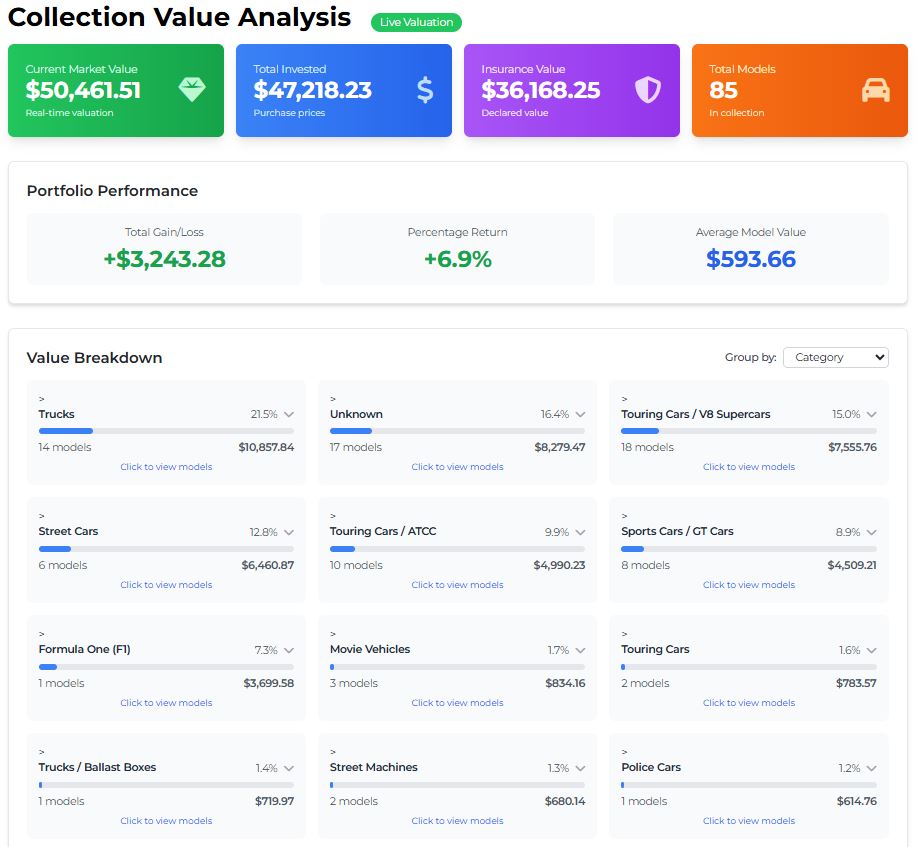
See your most valuable models at a glance.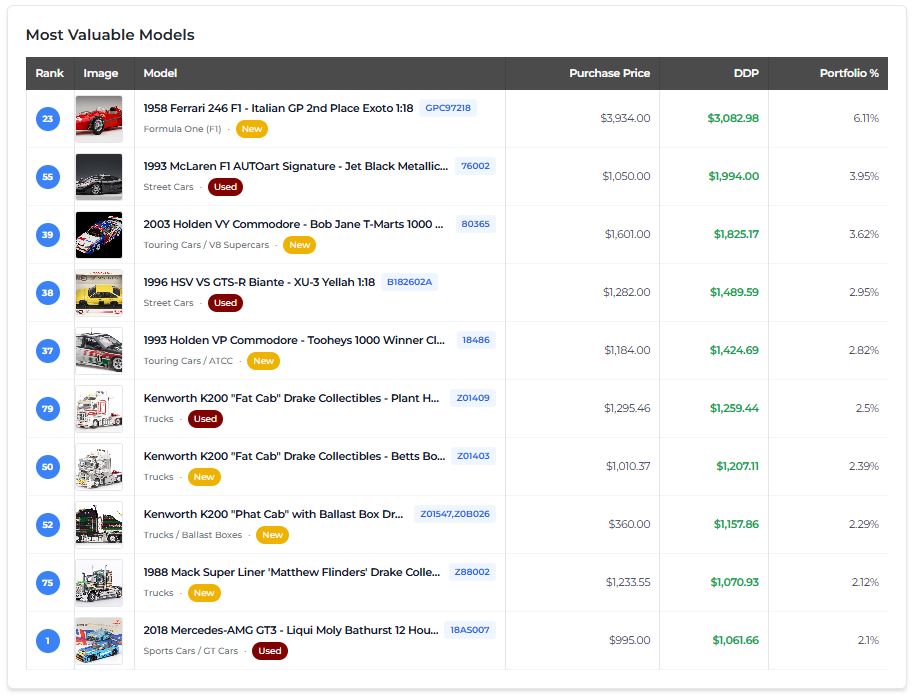
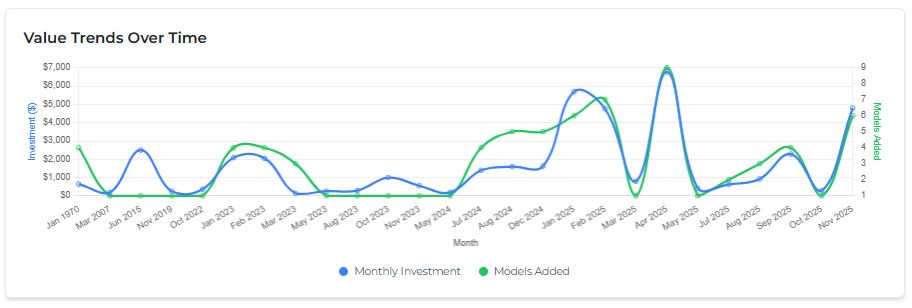
Brace yourself — the next section visualises your spending habits. Proceed only if you’re ready to know the truth.
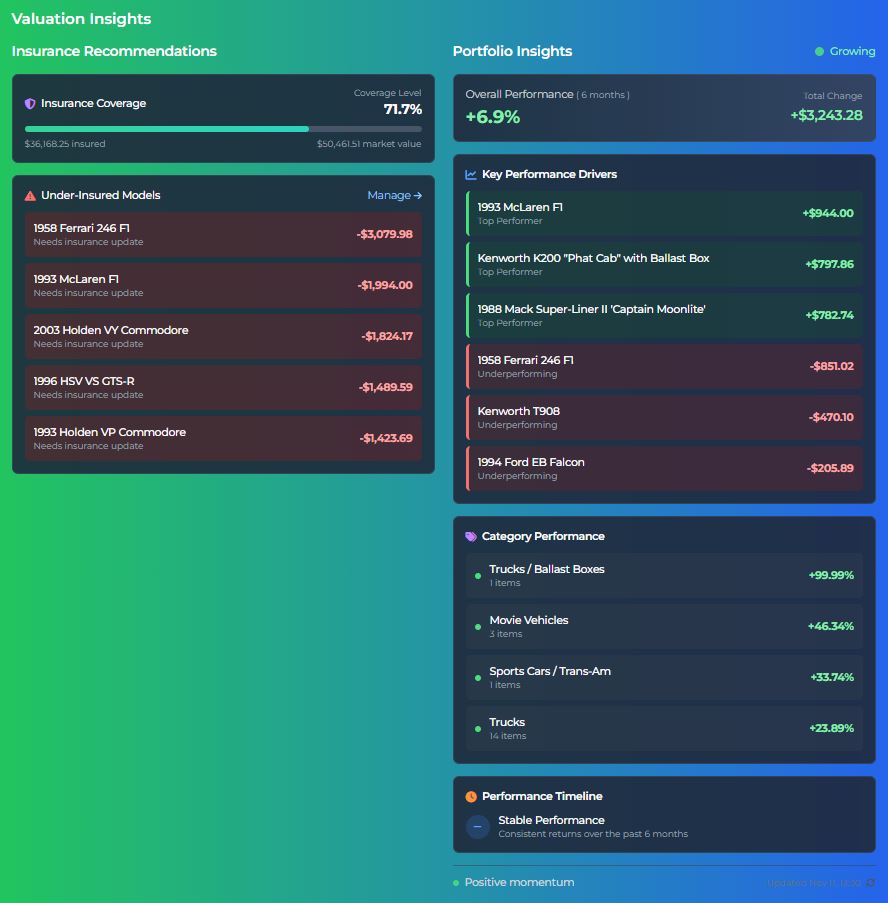
The Valuation Insights tool gives you a clear snapshot of what’s driving your collection’s value up or down—by model and by category.
Its biggest advantage, though, is how it simplifies insurance management. Instead of opening each model individually, you can quickly see where insurance values are out of alignment and update only what needs attention—managing by exception.
Remember: if you leave the insurance value field blank when adding a model, it will automatically track the Diecast Detective Price (DDP), adjusting as the market does. If you choose to set your own value, that’s fine—it just means it won’t update automatically, and gaps may form over time. Valuation Insights helps you spot and correct those gaps in seconds.
4. Top Performers
This section focuses on performance. It highlights your top-performing models and the metrics behind their growth, while also showing how the broader market and each category are performing.
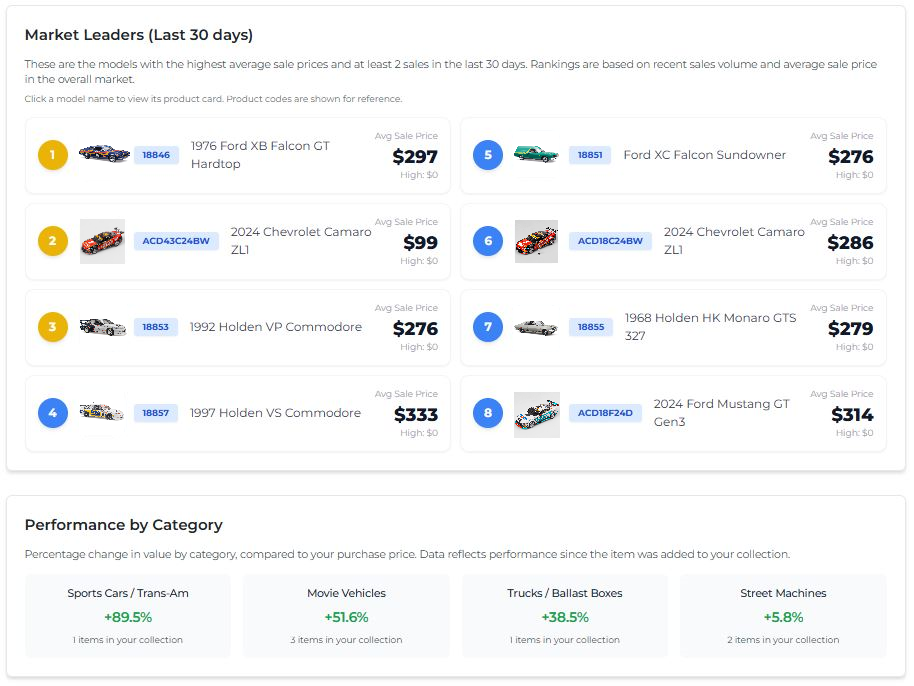
The feature we think members will really enjoy is Virtual Collection vs Market. It compares your collection to the wider market, showing which of your models are outperforming the market — and which are lagging behind.

VIRTUAL COLLECTION SEGMENTATION
Did you know that members can request new features? If a suggestion benefits the wider community, we’ll work to make it happen. In fact, this feature was introduced after a member asked for a way to organise their collection into custom folders.